Online appointment scheduling
Appointment scheduling software for your next meeting.
Let clients and colleagues book from your available times. Create unlimited booking links with the duration, location and intake questions each appointment needs, connected to your calendar.
Start free trial15-day free trial · no credit card required
Jane Smith
jane.synqslot.com
15-min Quick Call
15 min · Video call
30-min Discovery
30 min · Video call
60-min Deep Dive
60 min · Video call
Powered by SynqSlot
How it works
From calendar connection to a confirmed appointment
Connect your calendar
Google Calendar, Outlook / Microsoft 365, or Apple iCloud and other CalDAV calendars. For each connected account you choose whether its events block your availability, and you pick the one calendar that receives new bookings.
Set your hours and time zone
Weekly available hours, with more than one block per day if you want a gap for lunch or focus time. Add date overrides for holidays or travel. Your time zone is set once; invitees see times in theirs.
Create a booking link for the consultation
Give it a name and a duration, choose the location, and add intake questions. Each link has its own minimum notice, buffers before and after, how far ahead people can book, and an optional daily limit.
The invitee picks a time
They see only times that fit your hours and rules and aren't blocked on a connected calendar, shown in their own time zone.
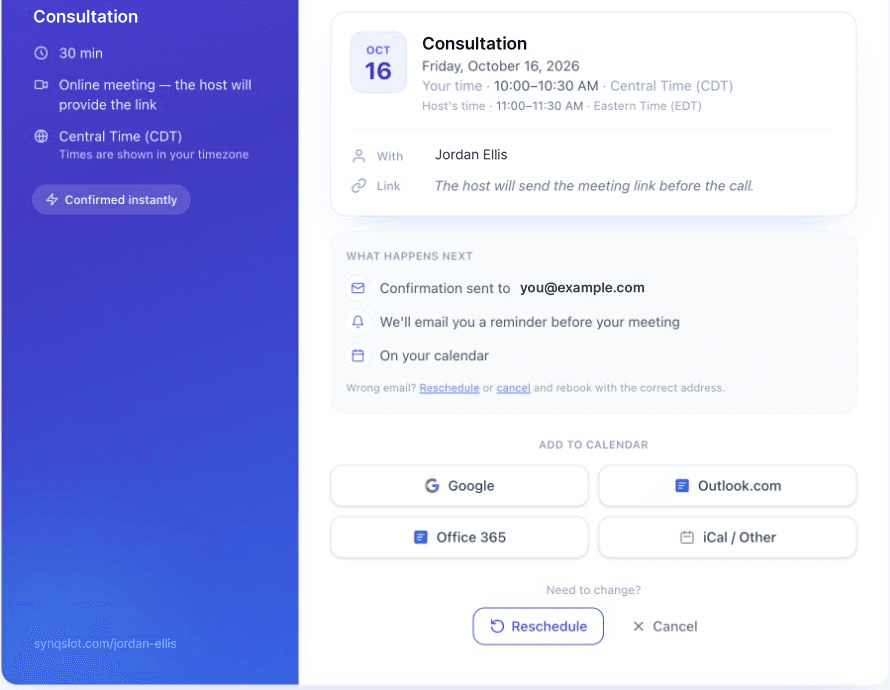
The booking is confirmed
The event is written to the calendar you chose to receive new bookings — except for Google Meet and Microsoft Teams links, which are created on a connected Google or Microsoft calendar respectively, even if a different calendar is your default. Both of you get a confirmation, and reminders can be sent before the meeting.
Rescheduling and cancelling
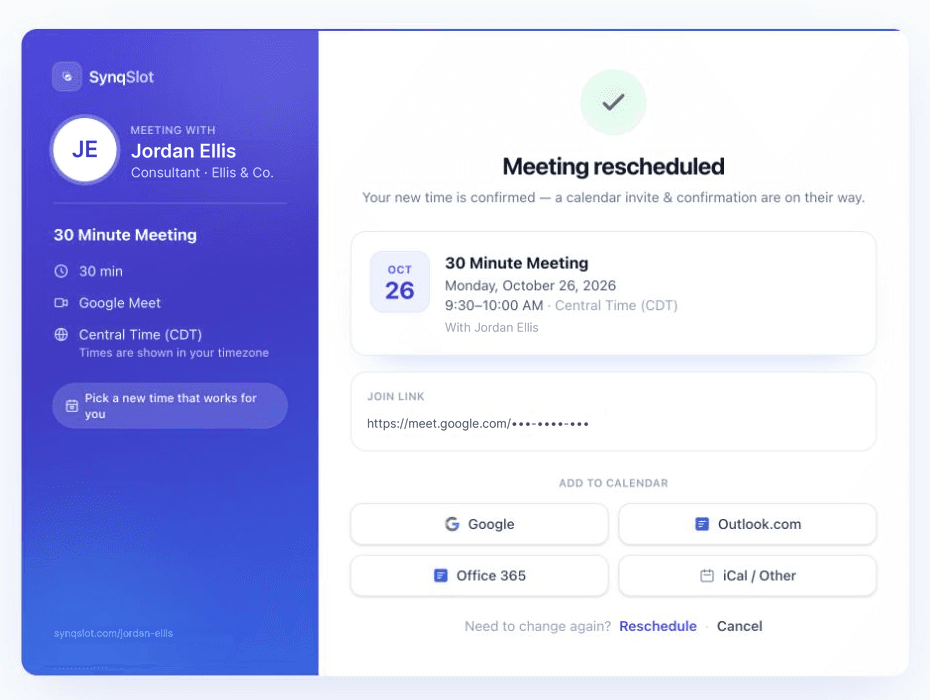
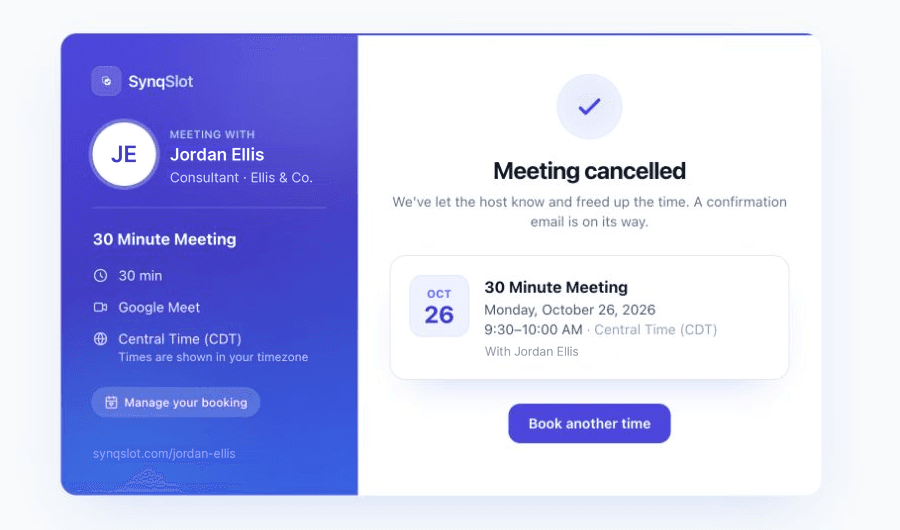
The confirmation includes reschedule and cancel links. A new time is checked against your availability again, and the calendar event is moved or removed.
Step-by-step with screenshots: set up your booking page in five minutes.
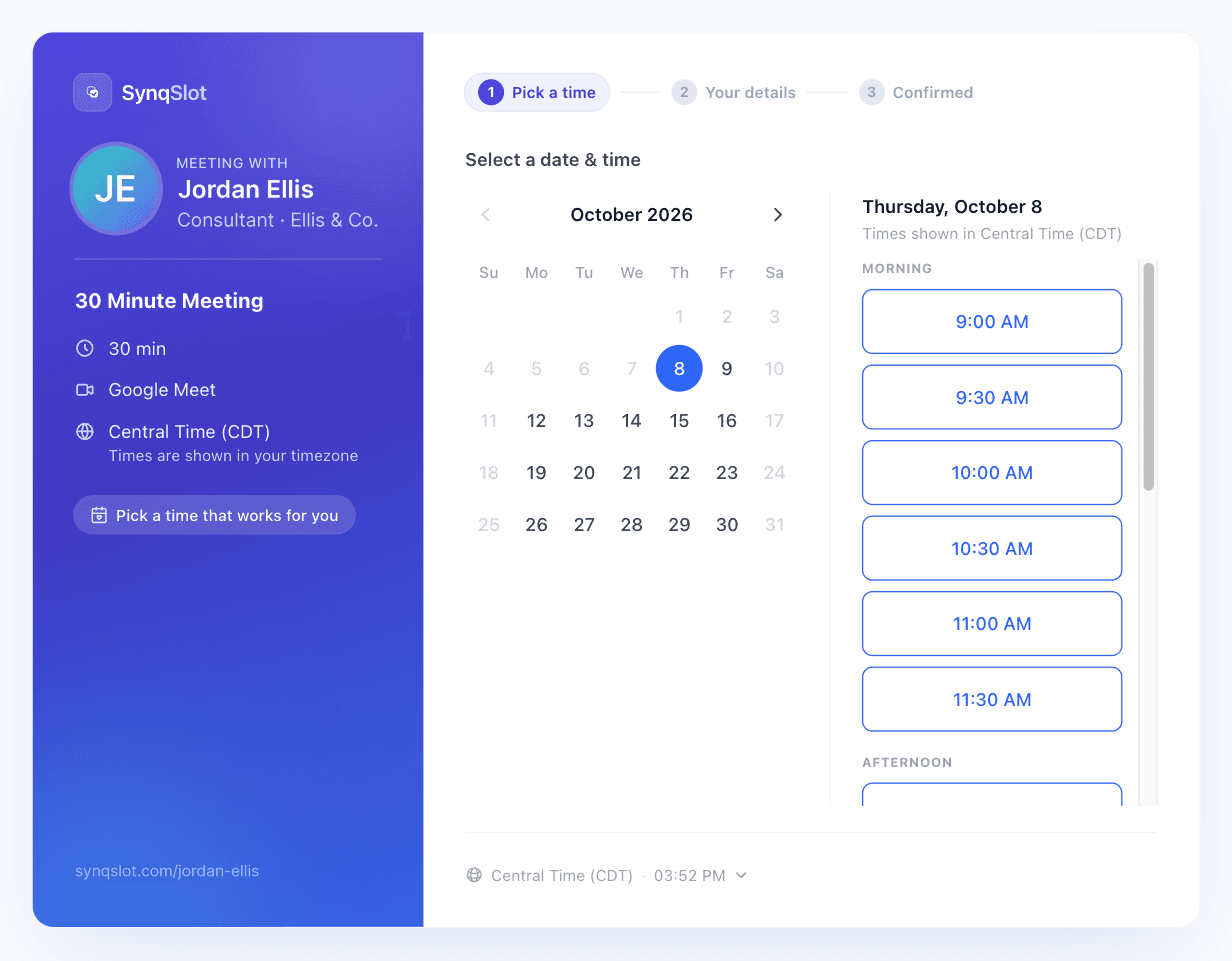
What the invitee sees after booking
Screens captured from SynqSlot during our October 2026 product audits, using test accounts. Names, the invitee's email, the event title and the meeting link have been replaced or hidden.
Meeting links and locations
Each booking link has one location. A video link is created automatically only for the location you choose, and only when that provider is connected:
- Google Meet — needs a connected Google Calendar; the booking is written there so the Meet link can be created.
- Microsoft Teams — needs a connected Microsoft work or school account with Teams; the booking is written to that Microsoft calendar.
- Zoom — needs the Zoom integration connected.
- Phone, in person or a custom link — you provide the details; nothing is generated.
A good fit for
- Client consultations and check-ins
- Discovery and sales calls
- Interviews — see interview scheduling for recruiting teams
Not built for
- Taking payment for an appointment when it is booked
- Employee shift rotas
- Medical practice management or patient records
- SMS reminders (reminders are sent by email)
Solo is $6/month for one person. Team 5 ($27/month, up to 5) and Team 10 ($35/month, up to 10) add team scheduling. Every account starts with a 15-day free trial, no card required. See pricing.
Frequently asked
- How does online appointment scheduling work?
- Connect your calendar, set your working hours and booking rules, then share a link. Clients or colleagues choose an available time instead of emailing dates back and forth. SynqSlot checks connected calendars for conflicts and handles the booking confirmation. Use it for consultations, discovery calls, interviews and other meetings; it does not collect payments for your appointments.
- What is a scheduling link?
- A URL that shows your real availability and lets someone pick a time. The booking lands on your calendar, gets a Zoom, Google Meet or Teams link when that is the link's location and the provider is connected, and both sides receive confirmations and reminders in their own time zone. No email back-and-forth.
- Which calendars can I connect?
- Google Calendar, Outlook and Microsoft 365, and Apple Calendar or any CalDAV server. You can connect more than one; SynqSlot checks the ones you set to block availability and writes the booking to the one you choose.
- Can I limit how far ahead or how close to now people can book?
- Yes. Each link has its own minimum notice, maximum days in advance, buffers before and after, and a daily booking cap. You can also set date overrides for holidays or travel.
- What is a single-use link?
- A link that works exactly once. Send it to one person, they book, it stops working. If they cancel, it reopens so they can rebook. Useful for candidates and prospects where a forwarded link should not be reusable.
- What happens if my calendar cannot be read?
- SynqSlot stops offering times for that link and shows a clear message instead of guessing. You get a reconnect prompt in the dashboard. We would rather show no slots than double-book you.
- How much does it cost?
- Solo is $6 a month for one person with unlimited booking links, calendar sync, reminders and follow-ups. Team plans are $27 a month flat for up to five people and $35 for up to ten, and add round-robin, routing forms and panel interviews. Every account starts with a 15-day trial, no card required.
Scheduling client consultations? See appointment scheduling for small businesses. Put the same calendar on your site with the embeddable scheduling widget, share one link for a whole team with round robin scheduling, or let candidates book a whole panel at once with panel interview scheduling. Put the link in your email with the free email signature generator.
Unlimited booking links
15-min quick calls, 30-min demos, 60-min deep dives — create as many as you need.
Every meeting format
Zoom, Google Meet, phone call, or in-person — set the location per booking link.
Custom intake questions
Ask what you need before the meeting — company size, use case, anything. Answers appear in the calendar event.
Ready to try it?
Start your 15-day free trial — full access, no credit card required.