GuidesJuly 4, 2026· Updated October 7, 2026·7 min read·By Mandeep Cheema
How to Schedule Meetings Without the Back-and-Forth
How do you schedule a meeting without the back-and-forth?
Share a booking link instead of proposing times. The link reads your calendar live, shows the other person only the slots you are free, converts them into their time zone, and books the one they pick — calendar events, video link and confirmation included. The email thread disappears because there is nothing left to negotiate. The rest of this guide covers why the thread happens, the setup, the settings that stop bad bookings, and the cases a link does not solve.
Why the thread happens
Neither person can see the other's calendar, so each proposal is a guess. A guess that misses costs a round trip of hours or days, and a slot that was free when you proposed it may be gone by the time they reply. Across a normal week that is several hours of coordination for meetings that take thirty minutes each.
What a booking link does instead
Reads your real calendar (Google, Microsoft 365/Outlook, or Apple/CalDAV) at the moment someone looks, so busy times are never offered.
Shows only your working hours, minus buffers you set before and after meetings.
Displays times in the visitor's time zone and books in both.
Creates the event on both calendars, attaches the video link (Google Meet, Zoom or Teams), and emails a confirmation.
Sends a reminder before the meeting and gives the other person a reschedule link so changes don't restart the thread either.
Set one up in SynqSlot (five minutes)
1Connect your calendar (Dashboard → Connected calendars). This is what makes the link honest about your availability.
2Set your working hours in Available hours — for example Monday–Friday 9:30–5:00, with a 10-minute buffer after each meeting.
3Create a booking link (Dashboard → Booking links → New): a name, a duration, and the video provider. Thirty minutes is a sensible default; fifteen for intro calls.
4Copy the link — synqslot.com/yourname/30min — and paste it where the thread would have started: your email signature, a proposal, a Slack message, or embedded on your website.
5Book a test meeting from the link yourself to see what the other person sees.
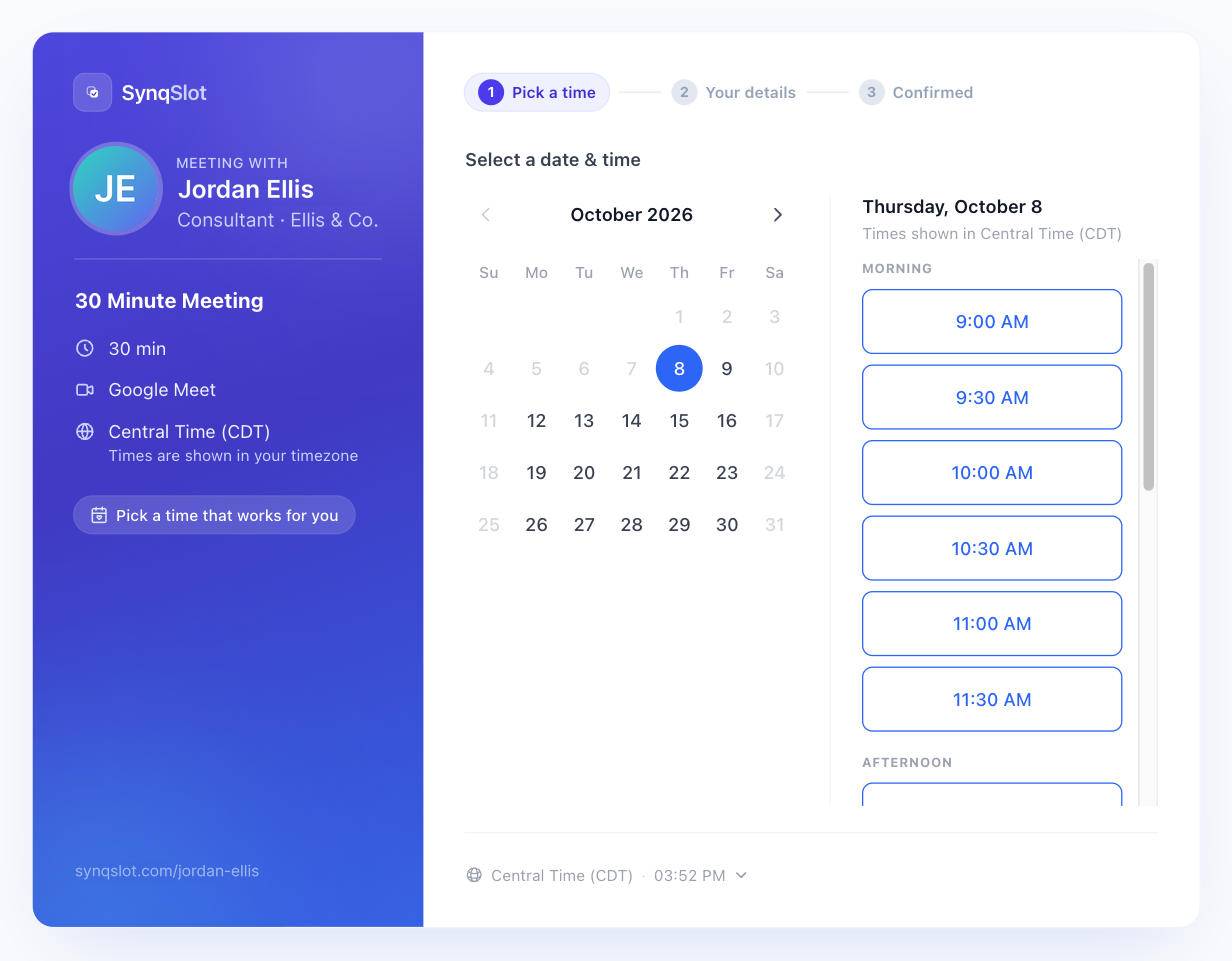
What the other person sees: only times you are actually free, already in their time zone.
Settings that stop bad bookings
Minimum notice. Don't let someone book you for ten minutes from now. Four to twenty-four hours is typical.
Buffers. Ten or fifteen minutes between meetings keeps back-to-back calls from running into each other.
Daily limit. Cap the number of meetings a link can book per day so a busy week doesn't become a day of nothing but calls.
Intake questions. One or two questions on the booking form ("What would you like to cover?") mean you arrive prepared instead of asking in the first five minutes.
Focus time. Block hours you want kept free even though the calendar says you're available.
What a booking link doesn't solve
It can't read a calendar you haven't connected. If your real commitments live in a second calendar, connect that one too or they will be offered as free.
It doesn't negotiate for people who refuse to use links. Some senior contacts will still want to be offered times; for those, send the link and two suggested slots.
It doesn't fix a calendar that's genuinely full. If no slots show, the fix is working hours or a shorter duration, not a different tool.
A shared link is not private. Anyone who has it can book you within your rules — use a one-time link for a single person, and set a daily limit.
Questions people ask next
Can I offer different meeting lengths? Yes — one booking link per length (15, 30, 60). Your main page lists all of them; a direct link goes straight to one.
Does it work across time zones? Yes. The page shows times in the visitor's zone and the confirmation shows both zones, with a note if the meeting crosses a daylight-saving change.
What if I'm on a team? Team links can round-robin across members, pick by priority, or book a whole panel at once — see team scheduling.
What does it cost? SynqSlot is flat-rate: $6/month for one person, $27/month for up to 5, $35/month for up to 10, with unlimited booking links and bookings on every plan. See pricing.